Showing posts with label Struts. Show all posts

Wednesday, 29 May 2013

Struts MappingDispatchAction Example


Struts MappingDispatch Action (org.apache.struts.actions.MappingDispatchAction) is one of the Built-in Actions provided along with the struts framework.
The org.apache.struts.actions.MappingDispatchAction class is a subclass oforg.apache.struts.actions.DispatchAction class. This class enables a user to collect related functions into a single action class. It  needs to create multiple independent actions for each function. Here in this example you will learn more about Struts MappingDispatchAction that will help you to grasp the concept better.
Let's develop a class  MappingDispatch_Action which is a sub class of org.apache.struts.actions.MappingDispatchAction class. This class does not provide an implementation for the execute() method because DispatchAction class itself implements this method.  MappingDispatchAction  class is much like the DispatchAction class except that it uses a unique action corresponding to a new request , to dispatch the methods . At run time, this class  manages to  delegate the request to one of the methods of the derived Action class. Selection of a method depends on the value of  the  parameter  passed from the incoming request.MappingDispatchAction uses this request parameter value and selects a corresponding action  from the different action-mappings defined. This eliminates the need of creating an instance of ActionForm  class. 
MappingDispatch_Action class contains multiple methods ie.. add() , edit() , search()  , save() . Here all the methods are taking the same input parameters but each method returns a different ActionForwardlike "add" in case of add() method , "edit" in case of edit() etc. Each ActionForward is defined in thestruts-config.xml file (action mapping is shown later in this page). 

Developing an Action Class (MappingDispatch_Action.java) 
  package roseindia.net;

/**
@author Amit Gupta
* @Web http://www.roseindia.net
* @Email struts@roseindia.net
**/

import java.io.*;
import java.util.*;
import javax.servlet.http.HttpServletRequest;
import javax.servlet.http.HttpServletResponse;
import javax.servlet.ServletException;
import org.apache.struts.actions.MappingDispatchAction;
import org.apache.struts.action.ActionForm;
import org.apache.struts.action.ActionForward;
import org.apache.struts.action.ActionMapping;

public class MappingDispatch_Action extends MappingDispatchAction
{
  
  
  public ActionForward add(
  ActionMapping mapping,
  ActionForm form,
  HttpServletRequest request,
  HttpServletResponse response) throws Exception{
  System.out.println("You are in add function.");
  return mapping.findForward("add");
  }

  public ActionForward edit(
  ActionMapping mapping,
  ActionForm form,
  HttpServletRequest request,
  HttpServletResponse response) throws Exception{
  System.out.println("You are in edit function.");
  return mapping.findForward("edit");
  }

  public ActionForward search(
  ActionMapping mapping,
  ActionForm form,
  HttpServletRequest request,
  HttpServletResponse response) throws Exception{
  System.out.println("You are in search function");
  return mapping.findForward("search");
  }
  
  public ActionForward save(
  ActionMapping mapping,
  ActionForm form,
  HttpServletRequest request,
  HttpServletResponse response) throws Exception{
  System.out.println("You are in save function");
  return mapping.findForward("save");
  }


}

No need to Develop an ActionForm Class
Developing the Action Mapping in the struts-config.xml

Here, we need to create multiple independent actions for each method defined in the action class. Note that the value specified with the
 parameter attribute is used to delegate request to the required method  of the MappingDispatch_Action Class.
<action path="/MappingDispatchAction"
type="roseindia.net.MappingDispatch_Action"
parameter="add"
input="/pages/MappingDispatchAction.jsp"
scope="request"
validate="false">
<forward name="add" path="/pages/MappingDispatchActionAdd.jsp" />
</action>

<action path="/MappingDispatchAction"
type="roseindia.net.MappingDispatch_Action"
parameter="edit"
input="/pages/MappingDispatchAction.jsp"
scope="request"
validate="false">
<forward name="edit" path="/pages/MappingDispatchActionEdit.jsp" />
</action>


<action path="/MappingDispatchAction"
type="roseindia.net.MappingDispatch_Action"
parameter="search"
input="/pages/MappingDispatchAction.jsp"
scope="request"
validate="false">
<forward name="search" path="/pages/MappingDispatchActionSearch.jsp"/>
</action>


<action path="/MappingDispatchAction"
type="roseindia.net.MappingDispatch_Action"
parameter="save"
input="/pages/MappingDispatchAction.jsp"
scope="request"
validate="false">
<forward name="save" path="/pages/MappingDispatchActionSave.jsp" />
</action>


Developing jsp page
Code of the jsp (MappingDispatchAction.jsp)  to delegate requests to different jsp pages :
<%@ taglib uri="/WEB-INF/struts-bean.tld" prefix="bean"%>
<%@ taglib uri="/WEB-INF/struts-html.tld" prefix="html"%>
<html:html locale="true">
<HEAD>
<TITLE>Mapping Dispatch Action Example</TITLE>
<BODY>

<H3>Dispatch Action Example</H3>
<p><html:link page="/MappingDispatchAction.do?parameter=add">Call Add Section</html:link></p>
<p><html:link page="/MappingDispatchAction.do?parameter=edit">Call Edit Section</html:link></p>
<p><html:link page="/MappingDispatchAction.do?parameter=search">Call Search Section</html:link></p>
<p><html:link page="/MappingDispatchAction.do?parameter=save">Call Save Section</html:link></p>

</html:html>
Add the following line in the index.jsp to call the form.
<li>
<html:link page="/pages/MappingDispatchAction.jsp">Struts File Upload</html:link>
<br>
Example demonstrates  how MappingDispatchAction class works.
</li>
Building and Testing the Example 
To build and deploy the application go to Struts\Strutstutorial directory and type ant on the command prompt. This will deploy the application. Open the browser and navigate to theMappingDispatchAction.jsp page. Your browser displays the following MappingDispatchAction page.

Selecting  Call Add Section displays the following MappingDispatchActionAdd.jsp page
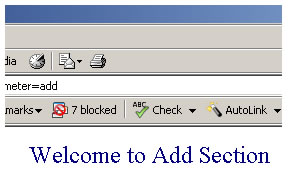
Selecting Call Edit Section displays the following  MappingDispatchActionEdit.jsp page
and etc...

STRUTS ACTION - AGGREGATING ACTIONS IN STRUTS


If you are a Struts developer then you might have experienced the pain of writing huge number of Action classes for your project. The latest version of struts provides classes using which you can aggregate a related set of actions into a single unified action. In this article we will see how to achieve this. Struts provides four important classes for this purpose. These classes are called as Dispatchers. The important Dispatchers that struts provides includes : DispatchAction, ActionDispatcher , LookupDispatchAction andMappingDispatchAction.

All these classes can be found in the package org.apache.struts.actions. Let us look in to each of these in detail. Our examples use the simple CRUD actions.

DispatchAction: In this type of aggregation, the action class must extend DispatchAction class as shown.

public final class CRUDDispatchAction extends DispatchAction {

public ActionForward create(ActionMapping mapping,
ActionForm form,
HttpServletRequest request,
HttpServletResponse response) throws Exception {
return (mapping.findForward("success"));
}
... 


and the action mapping will be as

<action path="/crudDispatchAction" type="com.companyname.projname.CRUDDispatchAction" name="formName" scope="request" input=" homeDef" parameter="methodToCall">
<forward name="success" path="targetDefName"/>
</action>


in your jsp you can call this action as

<html:link action="crudDispatchAction?methodToCall=create">Create</html:link>
... 


Observe that the above class extends DispatchAction and so you cannot use this method if your class already extends your (some) super class (eg., the class where the session is validated/invalidated). Here the user has to send a query string variable (methodToCall) to set the action name to call.

ActionDispatcher: This flavor of aggregation is same as DispatchAction except that we need not extend ActionDispatcher, so we can use this method even if our class extends a super class. The following code snippet shows this scenario.


public final class CRUDActionDispatcher extends Action {

protected ActionDispatcher dispatcher = new ActionDispatcher(this, ActionDispatcher.DEFAULT_FLAVOR);

public ActionForward execute(ActionMapping mapping,
ActionForm form,
HttpServletRequest request,
HttpServletResponse response) throws Exception {
return dispatcher.execute(mapping, form, request, response);
}

The DEFAULT_FLAVOR field suggests that the default parameter is "method" if none is specified as parameter in struts-config.xml (eg,. methodToCall).
ActionDispatcher flavor also needs methodToCall parameter to be set (using hidden variable or a query string) as in case of DispatchAction.

LookupDispatchAction: This type of aggregation is useful in situations where in you have multiple submit buttons in a single form. The class must extend LookupDispatchAction. However, the great thing about this type is that its java script free. That means, you need not set any hidden variables or pass query string however, you must use submit buttons as shown.

<html:submit property="submit"><bean:message key="button.create"/></html: submit >
<html:submit property="submit"><bean:message key="button.read"/></html: submit >
...
The example Action class will be as follows

public class CRUDLookUpDispatchAction extends LookupDispatchAction {

protected Map getKeyMethodMap() {
Map map = new HashMap();
map.put("button.create", "create");
?
return map;
}
public ActionForward create(ActionMapping mapping,
ActionForm form,
HttpServletRequest request,
HttpServletResponse response) throws Exception {
return (mapping.findForward("success"));
}
Observe the getKeyMethodMap() method. The submit button names are specified in a Map and their keys comes from MessageResources file. Struts picks up the name from this file and redirects it to the value specified in the Map. The calling code in jsp however has multiple submit buttons only differing in their names.

MappingDispatchAction: This aggregation extends MappingDispatchAction class. This is the most useful type among the four types available. But as seen in other cases, you can use this type only when your action does not extend any other action. The good thing about this type is that the action mappings can differ and so need not be the same as in all other cases. To illustrate this consider the below mappings.

<action path="/createMappingAction" type="com.bodhtree.CRUDMappingDispatchAction" scope="request" input="homeDef" parameter="create">
<forward name="success" path="targetDef"/>
</action>
<action path="/readMappingAction" type="com.bodhtree.CRUDMappingDispatchAction" name=" formName" scope="request" input="homeDef" parameter=" read">
<forward name="success" path="targetDef"/>
</action> 


Notice that in the first action mapping, there is no form bean while in the second the bean name is specified. This means that the user has the flexibility to change the mapping according to his needs and hence not been contained to use a constant mapping for all the CRUD actions. Note that in all the other types of aggregations, we must use the same mapping for all the CRUD actions.

Conclusion: Each of these types has their own pros and cons. DispatchAction is the default type which uses java script and we must extend DispatchAction to use it, ActionDispatcher is same as DispathAction except that we do not extend any action , LookupDispatchAction gives the flexibility to use multiple submit buttons while MappingDispatchAction allows us to change the action mappings according to our need. So each one of these has a particular usage and which one to use depends on the user requirement.

Saturday, 18 May 2013

Struts LookupDispatchAction Example


Struts LookupDispatch Action (org.apache.struts.actions.LookupDispatchAction) is one of the Built-in Actions provided along with the struts framework.
.The org.apache.struts.actions.LookupDispatchAction class.is a subclass oforg.apache.struts.actions.DispatchAction class.This class enables a user to collect related functions into a single action class. It eliminates the need of  creating multiple independent actions for each function. Here in this example you will learn more about Struts LookupDispatchAction that will help you to grasp the concept better.
Let's develop a class  LookupDispatch_Action which is a sub class of org.apache.struts.actions.LookupDispatchAction class. This class does not provide an implementation for the execute() method because DispatchAction class itself implements this method.  LookupDispatchAction  class is much like the DispatchAction class except that it uses a Java Map  and ApplicationResource.properties file to dispatch methods . At run time, this class  manages to  delegate the request to one of the methods of the derived Action class. Selection of a method depends on the value of  the  parameter  passed from the incoming request. LookupDispatchAction uses this parameter value  to reverse-map to a property in the Struts Resource bundle file (ie..ApplicationResource.properties). This eliminates the need of creating an instance of ActionForm  class. 
LookupDispatch_Action class contains multiple methods ie.. add() , edit() , search()  , save() . Here all the methods are taking the same input parameters but each method returns a different ActionForwardlike "add" in case of add() method , "edit" in case of edit() etc. Each ActionForward is defined in thestruts-config.xml file (action mapping is shown later in this page). 
Notice the implementation of the getKeyMethodMap()method.This method is required  to  map the names of the  keys  in the Struts Resource bundle file (ie..ApplicationResource.properties) to the methods in the class. The key values in the bundle file are matched against the value of the incoming request parameter ( which is  specified in the action tag through struts-config.xml file). Then this matching key is mapped to the appropriate  method to execute ,the mecahanism is implemented through the getKeyMethodMap()and can be defined as key-to-method mapping.
Here is the code for Action Class
package roseindia.net;

/**
@author Amit Gupta
* @Web http://www.roseindia.net
* @Email struts@roseindia.net
**/

import java.io.*;
import java.util.*;
import javax.servlet.http.HttpServletRequest;
import javax.servlet.http.HttpServletResponse;
import javax.servlet.ServletException;
import org.apache.struts.actions.LookupDispatchAction;
import org.apache.struts.action.ActionForm;
import org.apache.struts.action.ActionForward;
import org.apache.struts.action.ActionMapping;

public class LookupDispatch_Action extends LookupDispatchAction
{
  protected Map getKeyMethodMap(){
  Map map =  new HashMap();
  map.put("roseindia.net.add","add");
  map.put("roseindia.net.edit","edit");
  map.put("roseindia.net.search","search");
  map.put("roseindia.net.save","save");
  return map;
  }
  
  
  public ActionForward add(
  ActionMapping mapping,
  ActionForm form,
  HttpServletRequest request,
  HttpServletResponse response) throws Exception{
  System.out.println("You are in add function.");
  return mapping.findForward("add");
  }

  public ActionForward edit(
  ActionMapping mapping,
  ActionForm form,
  HttpServletRequest request,
  HttpServletResponse response) throws Exception{
  System.out.println("You are in edit function.");
  return mapping.findForward("edit");
  }

  public ActionForward search(
  ActionMapping mapping,
  ActionForm form,
  HttpServletRequest request,
  HttpServletResponse response) throws Exception{
  System.out.println("You are in search function");
  return mapping.findForward("search");
  }
  
  public ActionForward save(
  ActionMapping mapping,
  ActionForm form,
  HttpServletRequest request,
  HttpServletResponse response) throws Exception{
  System.out.println("You are in save function");
  return mapping.findForward("save");
  }
}
No need to Develop an ActionForm Class 
Instead create an Application Resource Property File:
Application.properties 
in the same directory structure where classes are saved.
roseindia.net.add=add
roseindia.net.edit=edit
roseindia.net.search=search
roseindia.net.save=save


Add the following, Message Resources Definitions in  struts-config.xml
<message-resources parameter="roseindia.net.ApplicationResources" />
Develop the following Action Mapping in the struts-config.xml

Here, Action mapping helps to select the method from the Action class for specific requests. Note that the value specified with the
 parameter 
attribute
 is used to delegate request to the required method  of the LookupDispatch_Action Class.
<action
path="/LookupDispatchAction"
type="roseindia.net.LookupDispatch_Action"
parameter="parameter"
input="/pages/LookupDispatchAction.jsp"
name="LookupDispatchActionForm"
scope="request"
validate="false">
<forward name="add" path="/pages/LookupDispatchActionAdd.jsp" />
<forward name="edit" path="/pages/LookupDispatchActionEdit.jsp" />
<forward name="search" path="/pages/LookupDispatchActionSearch.jsp"/>
<forward name="save" path="/pages/LookupDispatchActionSave.jsp" />
</action>
Developing jsp page
Code of the jsp (LookupDispatchAction.jsp)  to delegate requests to different jsp pages :
<%@ taglib uri="/WEB-INF/struts-bean.tld" prefix="bean"%>
<%@ taglib uri="/WEB-INF/struts-html.tld" prefix="html"%>
<html:html locale="true">
<HEAD>
<TITLE>Dispatch Action Example</TITLE>
<BODY>

<H3>Dispatch Action Example</H3>
<p><html:link page="/LookupDispatchAction.do?parameter=add">Call Add Section</html:link></p>
<p><html:link page="/LookupDispatchAction.do?parameter=edit">Call Edit Section</html:link></p>
<p><html:link page="/LookupDispatchAction.do?parameter=search">Call Search Section</html:link></p>
<p><html:link page="/LookupDispatchAction.do?parameter=save">Call Save Section</html:link></p>

</html:html>
Add the following line in the index.jsp to call the form.
<li>
<html:link page="/pages/LookupDispatchAction.jsp">Struts File Upload</html:link>
<br>
Example demonstrates  how LookupDispatchAction class works.
</li>
Building and Testing the Example 
To build and deploy the application go to Struts\Strutstutorial directory and type ant on the command prompt. This will deploy the application. Open the browser and navigate to theLookupDispatchAction.jsp page. Your browser displays the following LookupDispatchAction page.

Selecting  Call Add Section displays the following LookupDispatchActionAdd.jsp page


Selecting Call Edit Section displays the following   LookupDispatchActionEdit.jsp page
 
Selecting Call Search Section displays the following  LookupDispatchActionSearch.jsp page


I hope all goes well! Look forward to seeing more Java tutorials from me in the future.

Simple CRUD in Laravel Framework

Creating, reading, updating, and deleting resources is used in pretty much every application. Laravel helps make the process easy using reso...